- Buyer protection on every order
Canon EOS T7 Shutter Count: Complete Guide to Checking Before You Buy (2026)
GearFocus
Mar 14, 2026
KEY TAKEAWAYS
- How to check: Use EOSInfo (Windows), 40D Shutter Count (Mac), or upload a JPEG to camerashuttercount.com
- Shutter rating: 100,000 actuations (manufacturer-rated)
- What’s acceptable used: Under 25,000 is excellent, 25,000-50,000 is good for this entry-level DSLR
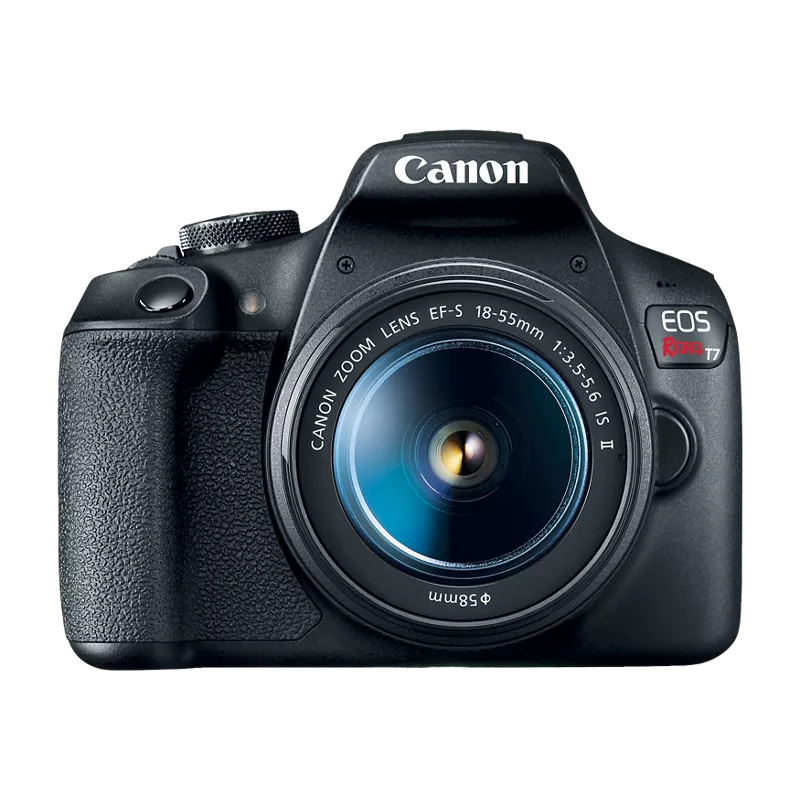
Checking the Canon EOS T7 shutter count is essential before buying or selling this popular entry-level DSLR. The shutter count tells you exactly how many photos the camera has taken, giving you concrete data about its condition and remaining life. Unlike some higher-end Canon models, the T7 doesn’t display this information in its menu system.
How to Check Canon EOS T7 Shutter Count
The Canon EOS T7 requires third-party software to check its shutter count. Canon doesn’t include a built-in menu option for viewing actuations on this model. Here are three proven methods:
Method 1: EOSInfo (Windows Only)
- Step 1: Download EOSInfo from the developer’s website
- Step 2: Connect your Canon EOS T7 to your computer via USB cable
- Step 3: Turn on the camera and set it to any shooting mode
- Step 4: Launch EOSInfo and click “Get Camera Info”
- Step 5: Look for “Shutter Counter” in the displayed information
Method 2: 40D Shutter Count (Mac Only)
- Step 1: Download 40D Shutter Count from the App Store ($2.99)
- Step 2: Connect your T7 via USB and turn it on
- Step 3: Open the app and select your camera from the list
- Step 4: The Canon EOS T7 shutter count appears instantly
Method 3: Online EXIF Tools (Any Platform)
- Step 1: Take a new photo with your T7 (must be JPEG, not RAW)
- Step 2: Transfer the image to your computer
- Step 3: Visit shuttercount.com or camerashuttercount.com
- Step 4: Upload your JPEG file
- Step 5: The tool extracts and displays your Canon EOS T7 shutter count from the EXIF data
I recently helped a friend check their T7 before listing it for sale. The EXIF method worked perfectly – showed 8,400 actuations, which definitely helped justify their asking price.
What the Canon EOS T7 Shutter Count Means
Canon rates the EOS T7’s shutter for 100,000 actuations according to their technical specifications. This is the manufacturer’s official rating, representing the minimum expected lifespan under normal use. Many T7 cameras exceed this rating, but it’s a useful benchmark for evaluating condition.
Here’s how to interpret your Canon EOS T7 shutter count:
- 0-25,000 (0-25% of rated life): Excellent condition, barely used
- 25,000-50,000 (25-50%): Good condition, plenty of life remaining
- 50,000-75,000 (50-75%): Moderate use, still reliable for most users
- 75,000-100,000+ (75-100%+): Heavy use, may need shutter replacement soon
Remember that 100,000 is not a death sentence. The shutter mechanism might continue working well beyond the rated life, but the probability of failure increases. For an entry-level camera like the T7, most users never approach these numbers.
How Shutter Count Affects Used Canon EOS T7 Pricing
The Canon EOS T7 shutter count directly impacts resale value. See the Canon EOS T7 page on GearFocus for current listings, specs, and buyer reviews. However, pricing varies significantly based on shutter count:
- Low count (under 10,000): Commands 10-15% above average price
- Shutter count is only part of the picture — condition, included accessories, and how long a body has been sitting all move what it sells for. See the Canon EOS T7 page on GearFocus.
- High count (over 50,000): Typically 10-20% below average
Selling your Canon EOS T7? Knowing the shutter count helps you price it right. Buyers appreciate transparency, and a documented low count justifies premium pricing. Browse current Canon EOS T7 listings on GearFocus to see real-time market prices.
For buyers, don’t fixate solely on the number. A well-maintained T7 with 40,000 actuations often outlasts an abused camera with 10,000. Check for physical condition, sensor cleanliness, and proper function alongside the Canon EOS T7 shutter count.
FAQ
Can the Canon EOS T7 shutter be replaced?
Yes, Canon service centers can replace the shutter mechanism. The cost typically runs $200-300, which is close to the camera’s used value. Most users opt to upgrade rather than repair at that point.
Is 30,000 shutter count too high for a used Canon EOS T7?
Not at all. With a 100,000 actuation rating, 30,000 represents only 30% of the rated life. That’s well within the “good condition” range for this camera. Most hobbyist photographers take 5,000-10,000 photos per year, giving you several years of reliable use.
Why doesn’t my T7 show shutter count in the menu?
Canon reserves built-in shutter count displays for their higher-end models. The T7, being an entry-level DSLR, requires the external methods described above to check actuations.
Ready to buy or sell? Check the Canon EOS T7 on GearFocus for current listings and market pricing. A quick shutter count check takes five minutes but provides valuable insight into any used camera’s true condition.
Canon EOS T7 Shutter Life Expectancy
| Shutter Count | What to Expect |
|---|---|
| Under 5,000 | Like New — practically fresh out of the box |
| 5,000 – 25,000 | Excellent — light use typical of a student or hobbyist shooter |
| 25,000 – 60,000 | Good — well-used but the T7’s simple, reliable mechanism handles it fine |
| 60,000 – 100,000 | Fair — nearing rated life; still functional but expect signs of wear |
For a closer look at current condition and price, browse Canon EOS T7 on GearFocus. As an entry-level DSLR, shutter count is a reliable indicator of how much classroom or travel use the camera has seen.
Related Shutter Count Guides
Own one like this?
Make room for new gear in minutes.
