Sony MC1 Cinema Camera
The Sony MC1 is a 1/3 inch cinema camera — known for its Full HD 1080p Recording and 60fps at 1080p. Check GearFocus for current availability, with buyer protection on every purchase.
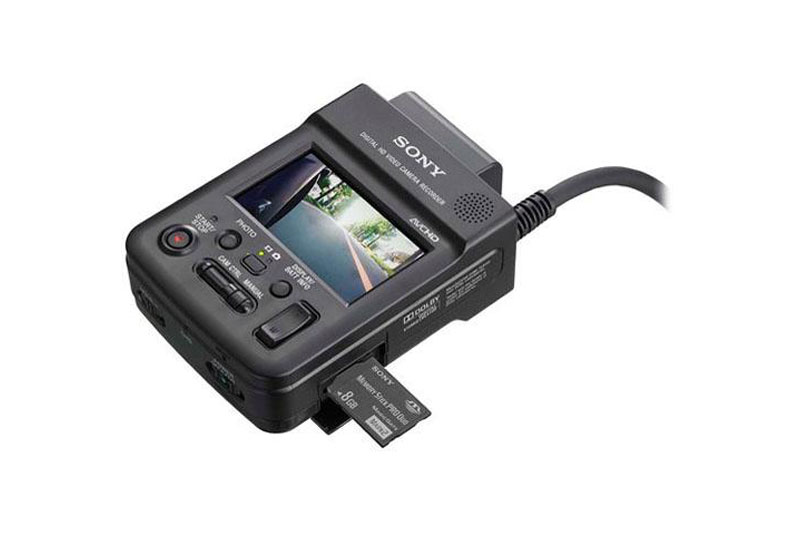
Sony MC1 Cinema Camera
Get notified when one lists.
We'll text or email you the moment a Sony MC1 Cinema Camera is listed on GearFocus.
Have a Sony MC1 sitting in your bag?
You'd be the first listing for this model.
Serious buyers are already watching — list yours in minutes.
Available Now on GearFocus

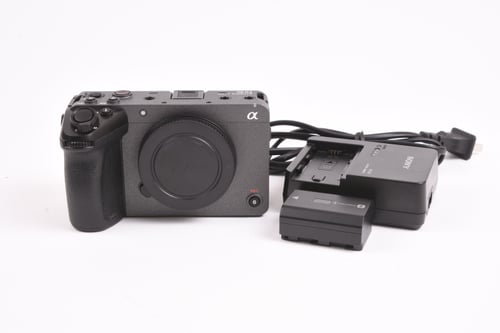
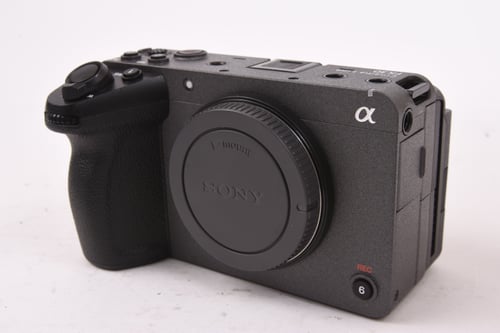
Sony FX3 Cinema Camera + XLR Handle + 256GB Lexar SD Cards — Excellent Condition




Camera Overview — Sony MC1
Key Features — Sony MC1
Full HD 1080p Recording: Captures video at up to 1920×1080 resolution, suitable for professional broadcast and production workflows.
60fps at 1080p: Supports up to 60fps at full HD resolution for smooth motion capture and slow-motion playback in post-production.
1/3-Inch Sensor: Standard professional camcorder sensor format common in ENG and broadcast camera designs.
AVCHD & MPEG-4 Recording: Dual format support gives operators flexibility in balancing file size against image quality depending on the project.
Fixed Lens Design: Integrated lens eliminates the need for interchangeable optics, keeping the system compact and ready to shoot.
3.5mm Mic Input: Allows connection of an external microphone for improved audio quality beyond the built-in mic.
Camera Specifications — Sony MC1
| Spec | Detail |
|---|---|
| Use Cases | Video / Cinematography, Documentary, Event, Adventure |
| Sensor | 1/3 inch |
Description — Sony MC1
The Sony MC1 Cinema Camera is built around a 1/3 inch sensor and delivers video up to Full HD (1080p) resolution at frame rates reaching 60fps. Recording is supported in both AVCHD and MPEG-4 formats onto Memory Stick media, giving operators a choice of format to suit different post-production pipelines. For connectivity, the camera is equipped with HDMI and USB 2.0 outputs, covering monitor connections and file transfer needs.
Audio flexibility is provided through both a built-in microphone and a 3.5mm mic input, accommodating external microphone use when production demands it. The camera's maximum ISO of 1600 offers a workable sensitivity range for varied shooting conditions. Weighing between 1.5 and 1.8 lbs, the MC1 is a compact and portable unit well suited to professionals who need a lightweight, straightforward video camera.
Its fixed lens configuration keeps the system simple, with no interchangeable lens compatibility.
Pros — Sony MC1
- ✓Full HD (1080p) resolution at up to 60fps supports smooth motion capture
- ✓Dual recording format support — AVCHD and MPEG-4 — offers workflow flexibility
- ✓HDMI connectivity enables direct monitor or display output
Cons — Sony MC1
- ✗1/3 inch sensor format is relatively small, which may limit low-light performance headroom
- ✗Fixed lens design removes the option to swap lenses for different focal lengths or optics
- ✗Memory Stick is the sole media type supported, limiting storage flexibility
Videos — Sony MC1
Sony HXR-MC1 Lipstick Camera — Jesse Miller, Midtown Video